14. Joystick:bit V2(EF08231)
14.1. Introduction
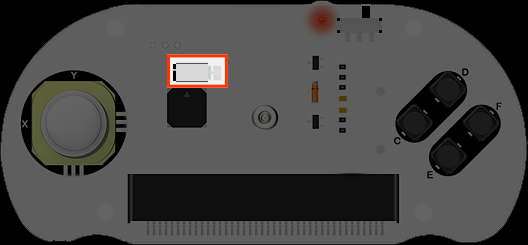
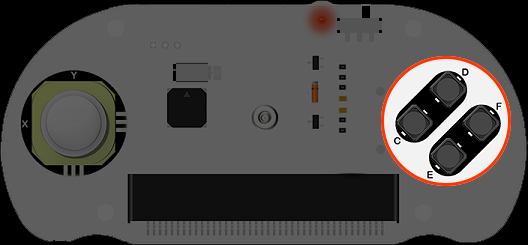
Joystick:bit V2 is a game board based on micro:bit. It contains a 4-direction joystick and 4 undefined buttons. At the same time, it enhances the game experience with its on-board buzzer and vibration motor. Joystick:bit V2 can also be used as a remote control with a good apperance and comfortable feels.
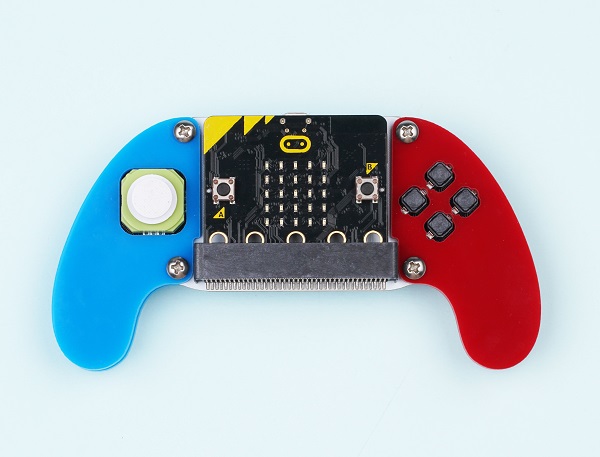
Note: There are two versions of Joystick bit V2
Joystick bit V2:
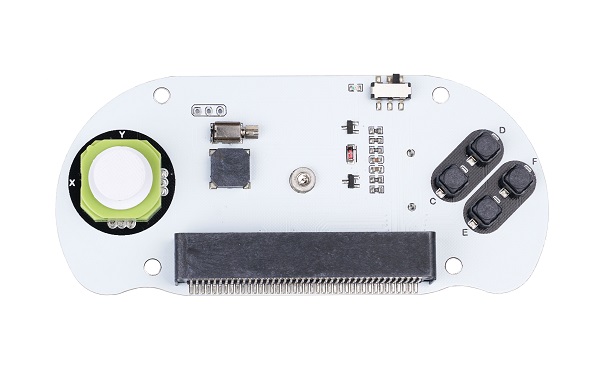
Joystick bit V2 Plus:
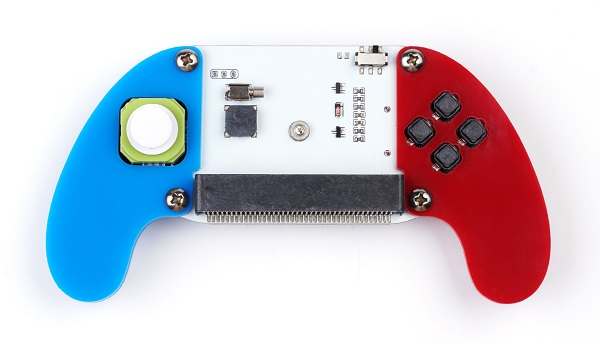
Products Link
14.2. Characteristic:
- Language: Javascript / Makecode / Microsoft Touch Develop / Python.
- Load with buzzer.
- Support vibration feedback.
- Compatible with the MakeCode packages .
- Power off automacticly after unplugging the micro:bit.
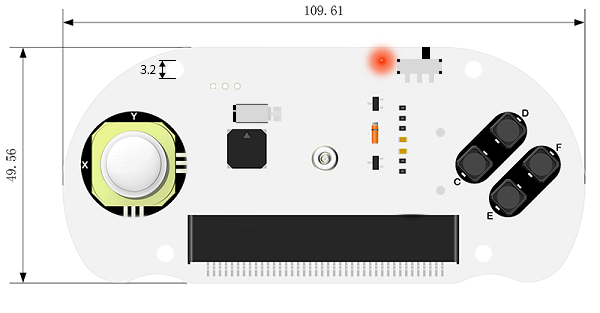
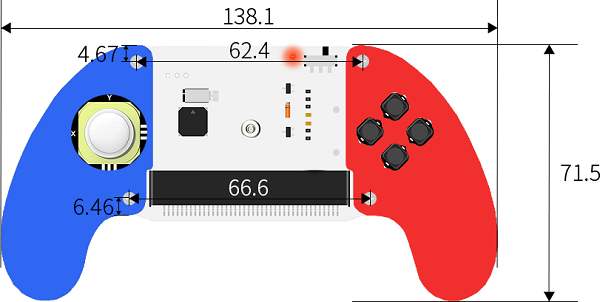
14.4. Main parts introduction
Handle
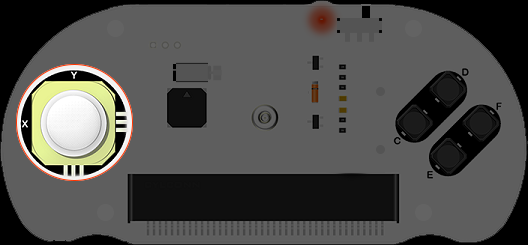
X and Y connect to the P1 and P2 port on the micro:bit accordingly.
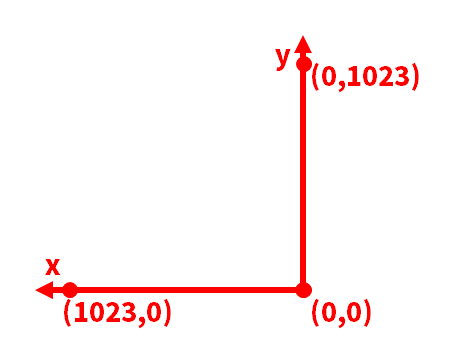
The coordinate information of X&Y
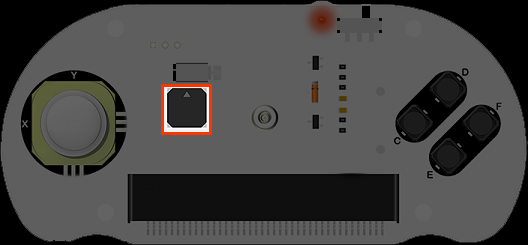
Installment
Install two pieces AAA batteries and insert the micro:bit.
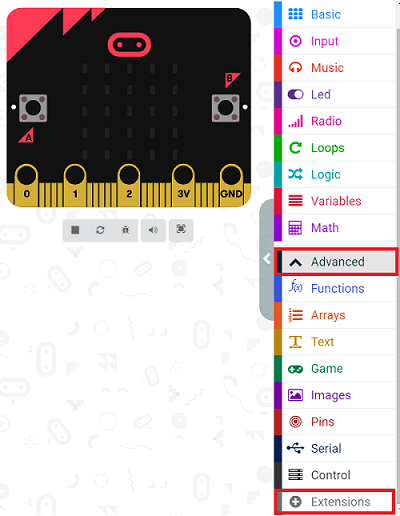
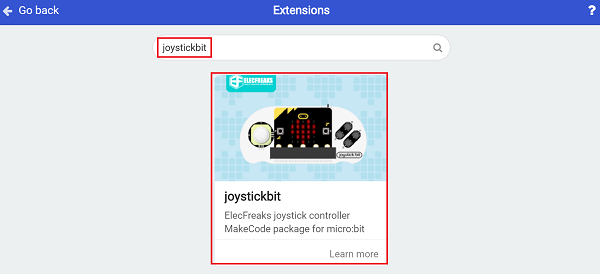
Add “joystick:bit” package.
Go to MakeCode and create a new project, then click “Extensions”.
Search with “ joystickbit” to add it.
14.5. Programming
Once you press the buttons on the joystick:bit, it comes about vibration feedback with buttons sign showing.
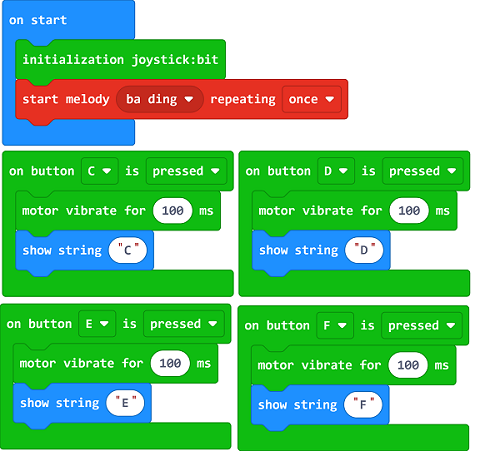
Link: https://makecode.microbit.org/_YUaM2rdcFFYx
You may also download it directly below:
14.6. Result
After downloading, turn on the power switch and you will hear the system tone.
Push any one button on the Joysitick bit, it vibrates once.
14.7. Project 1: Electronic organ
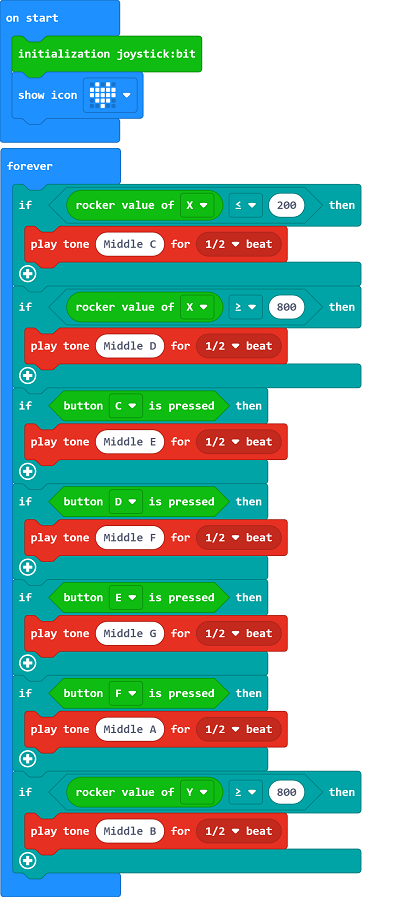
Link: https://makecode.microbit.org/_DHgcRfb6oJp5
You may also download it directly below:
14.9. Project 2: Direction indicator
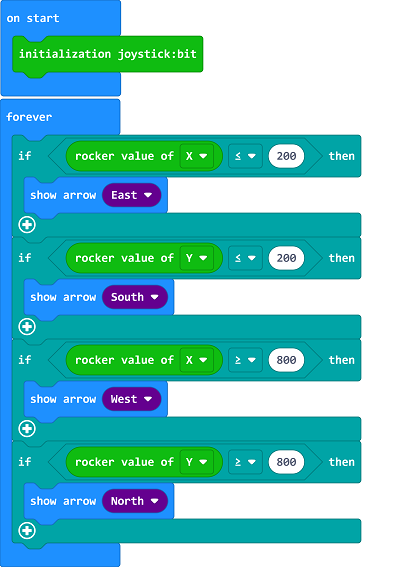
Link: https://makecode.microbit.org/_YVdggwifHWEm
You may also download it directly below:
14.11. Project 3: LED Controller
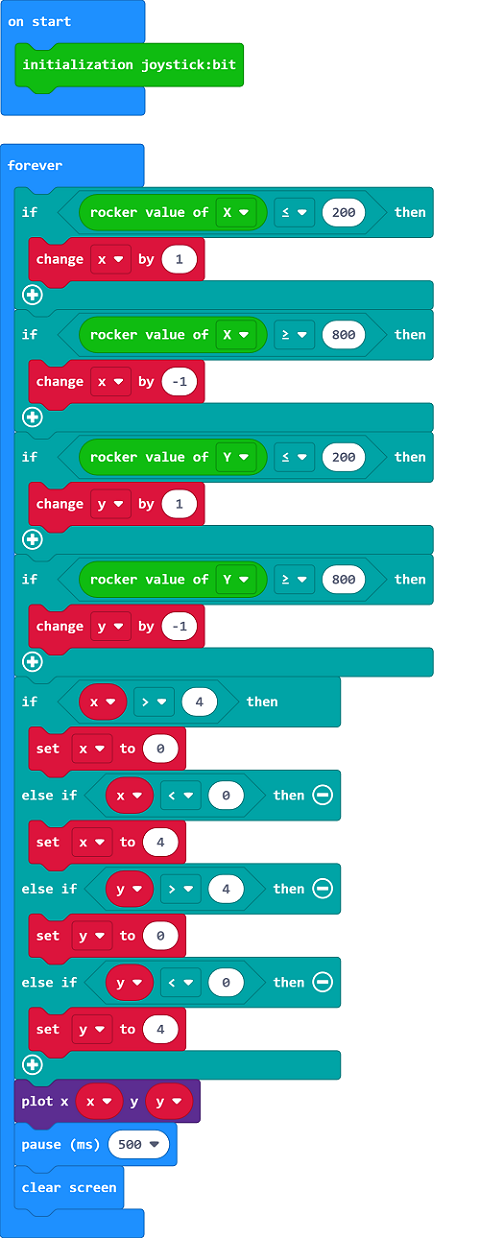
Link: https://makecode.microbit.org/_KPMW36Pq0aLm
You may also download it directly below: