5. Case 02: Drifting Left&Right
5.2. Products Link
5.3. Background Knowledge
5.5. Program
Step 1
Click “Advanced” in the drawer of MakeCode to see more choices.
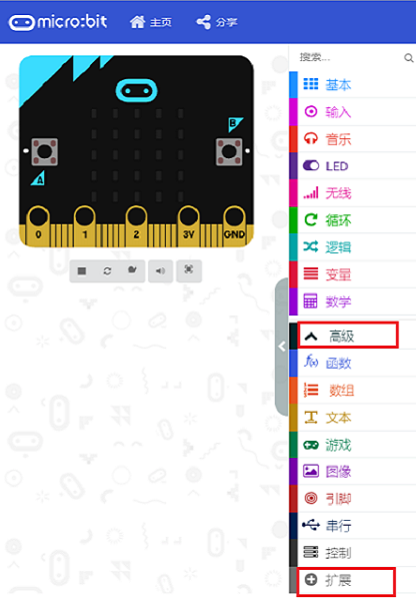
For programming, we need to add a package. Click “Extensions” at the bottom of the drawer and then search “Wukong” in the dialogue box to download it.
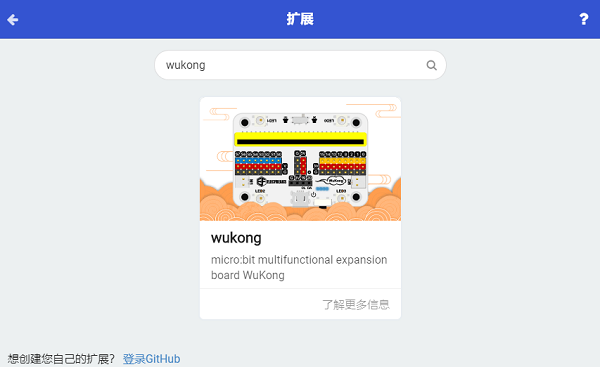
Note: If you get a warning indicating some packages will be removed because of incompatibility issues, you can follow the prompts or create a new project in the menu.
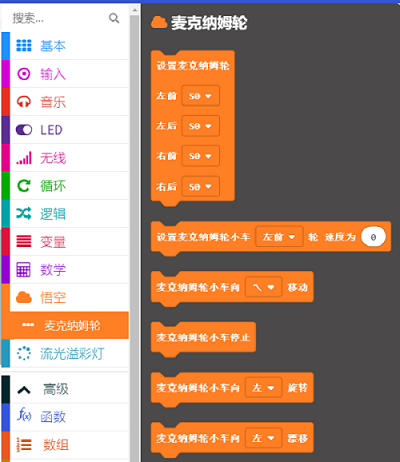
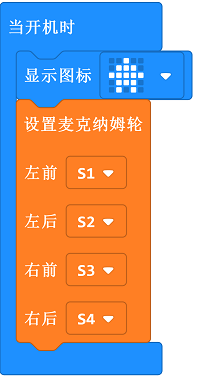
Step 4
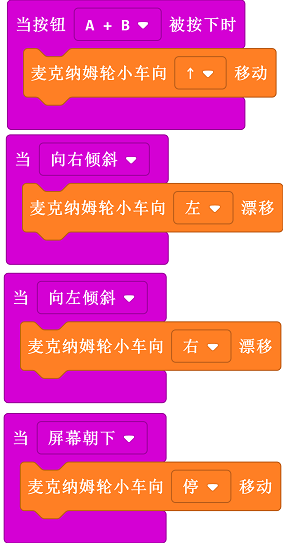
Set the car moving forward while pressing A+B , drifting to left while on tilt right , to right while on tilt left and stopping while on logo down.
Result
Set the car moving forward while pressing A+B , drifting to left while pressing button A , to right while pressing button B and stopping while on logo down.