10. Case 07: Wireless Communication
10.1. Purpose
Use the Smart Coding Kit to send signals.
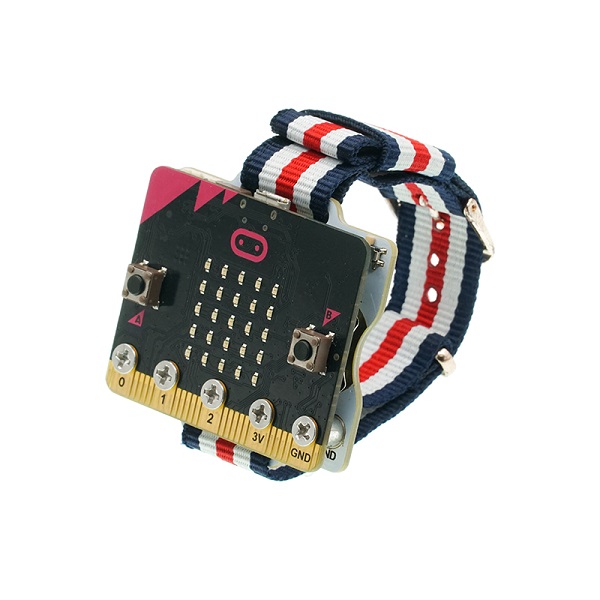
10.3. Software
10.4. Programming
Step 1
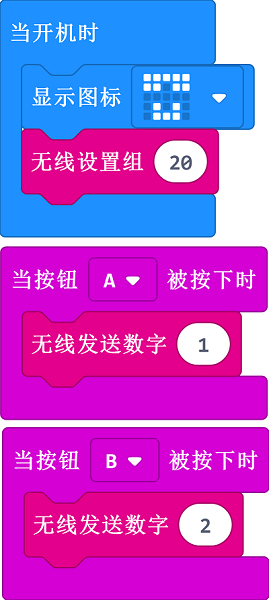
Sending end
Show icon
Set the wireless group
Send number 1 when button A being pressed
Send number 2 when button B being pressed
Step 2
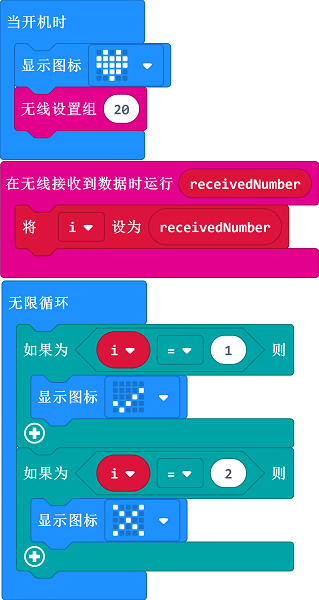
Receiving end
Show icon
Set the wireless group
Save the received number as variable i
Judge the received number and display the icon accordingly.
Link
Sending end Link:https://makecode.microbit.org/_ix81uXcAULqW You can also download it direcly below:
Receiving endLink:https://makecode.microbit.org/_WpqdARYUXWMj
You can also download it direcly below:
10.5. Result
While button A or B in the sending end being pressed, an icon of √ or × displays on the receiving end.