6. case 03:Thermometer
6.5. Programming
Step 1
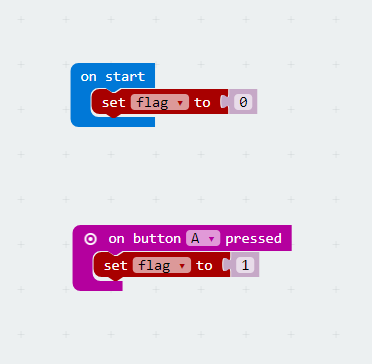
- Create a variable
flag. Initialize this variable to 0 when we startup our micro:bit. When button A is pressed, set theflagto 1.
Step 2
- Create a
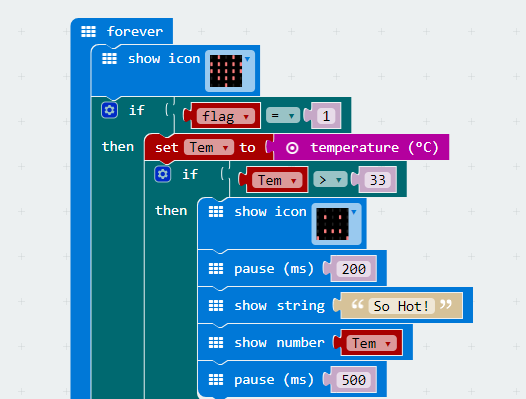
foreverloop and insertshow iconblock with a heart under it. If theflagequals 1, then assign the temperature value to the variableTem. - If the variable
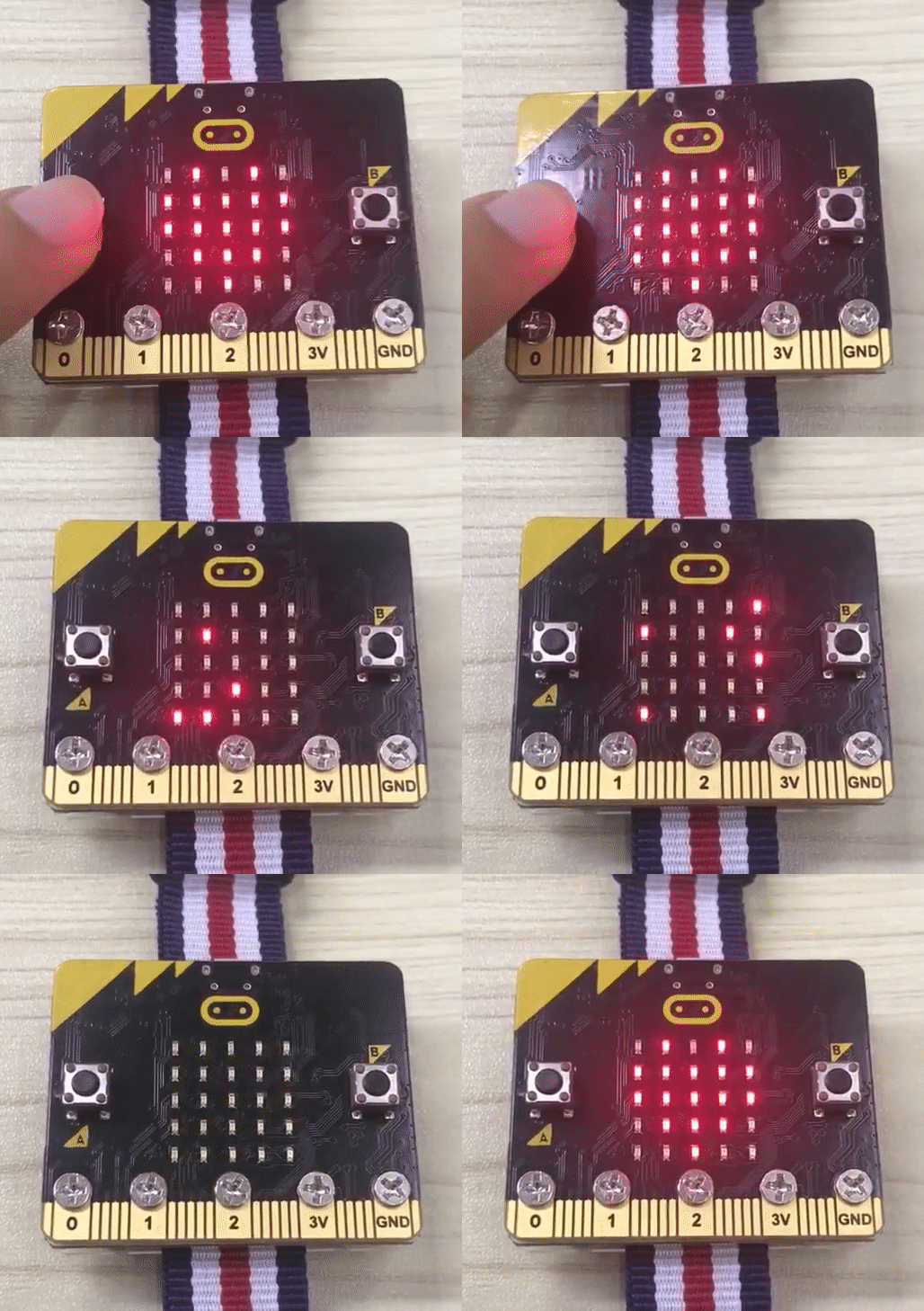
Temis beyond 30 degrees, display a crying face and show string “So Hot”。And then delay 0.5 second after displaying the temperature.
Step 3
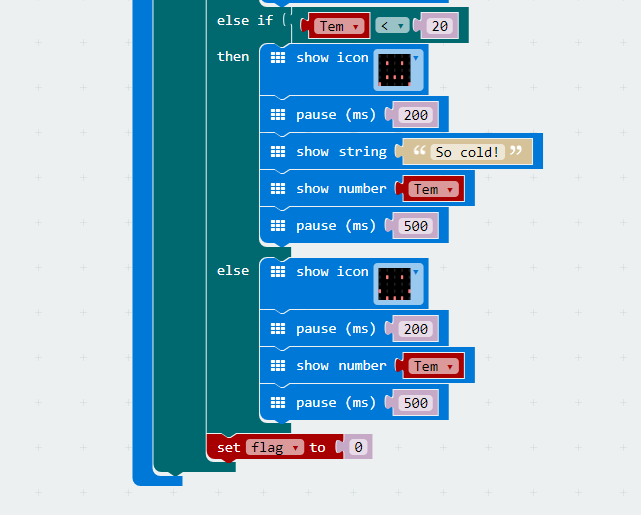
- If the variable
Temis under 20 degrees, display a crying face and show string “So cold”. And then delay 0.5 second after displaying the temperature. - If the temperature is among 20 degrees to 30 degrees, then display a smile face and delay for 0.5 second after showing the temperature.
- Set
flagto 0 to exit the function above.
6.6. Program
- The link of whole program: https://makecode.microbit.org/_iHY0ReVrTJJX
- You can also download the program from the page below.
6.8. Think
6.9. FAQ
Q: Sometimes the temperature is obviously under 20 degrees, why the displayed number is much higher?
A: Because the temperature obtained by micro:bit is the temperature of main chip, instead of environment temperature. When micro:bit runs for a long time, the chip will be heated significantly.