6. Case 03: Thermometer
6.1. Purpose
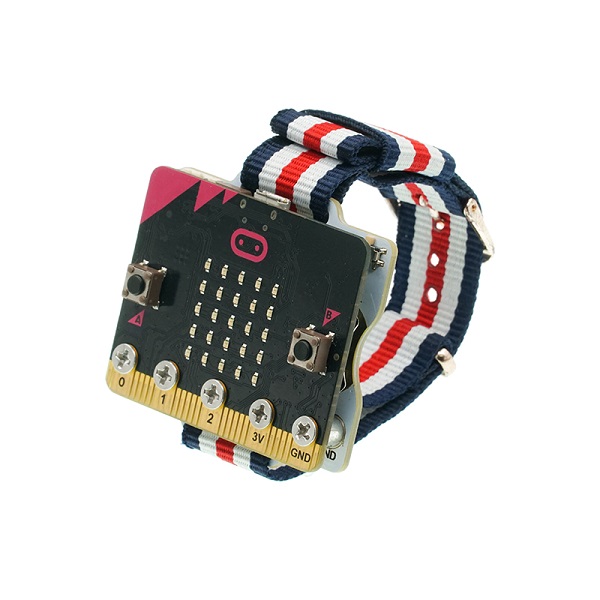
Use the Smart Coding Kit to create a wearable thermometer.
6.3. Software
6.4. Programming
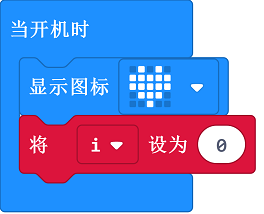
Step 2
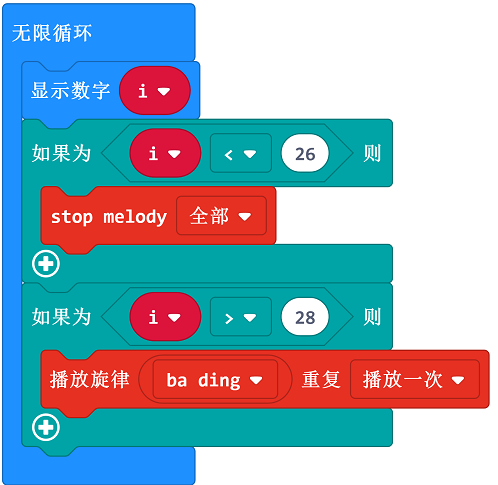
Create a forever loop to show the variable i. If it is over the default value, it alarms; Or it does not alram.
6.5. Result
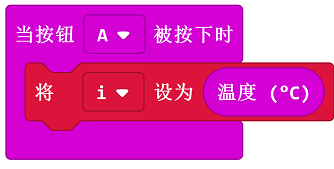
The current value will be detected and displayed on the micro:bit when button A being pressed.
6.6. Exploration
6.7. FAQ
Q: Sometimes the temperature is below 20 degrees, but the value detected is even higher?
A: The temperature detected is the micro:bit chips but not the environment, the chips will get hot obviously when powering on for a long time.