17. Case 13: Remote Control with Joystick:bit
17.4. Programming
Step 1
- Click the “Advanced” to see more choices in the MakeCode drawer.
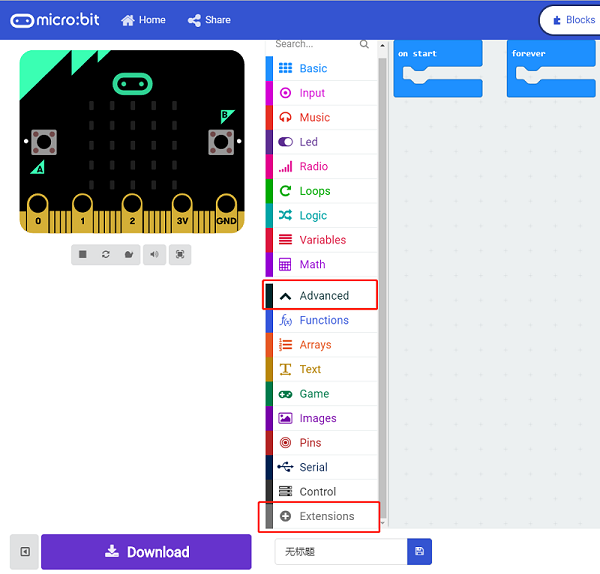
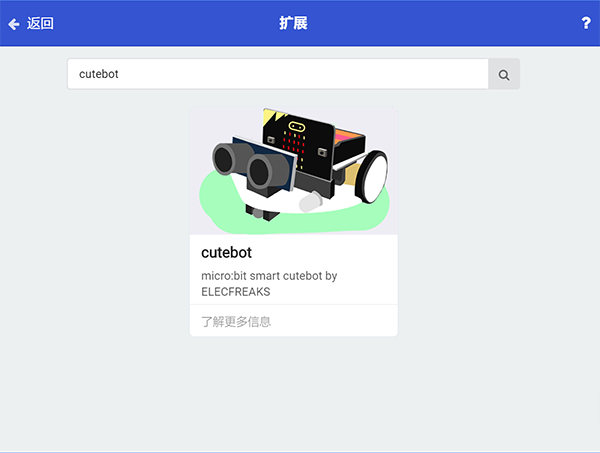
- A codebase is required for Cutebot programming, click “Add Package” at the bottom of the drawer, search
Cutebotin the dialogue box and download it.
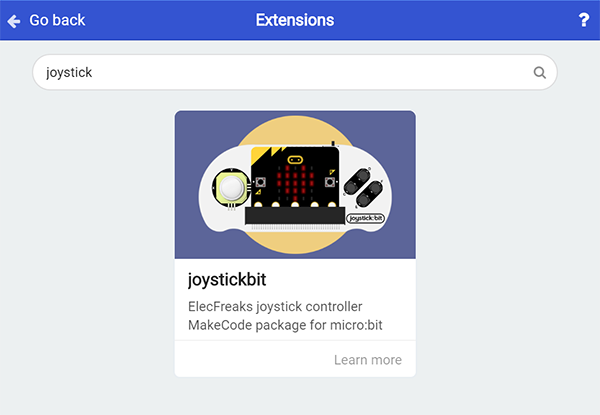
- A codebase is required for Joystick:bit V2 programming, click “Add Package” at the bottom of the drawer, search
joysticin the dialogue box and download it.
Note: If you met a tip indicating incompatibility of the codebase, you can continue with the tips or build a new project there.
Step 2: Joystick:bit Programming
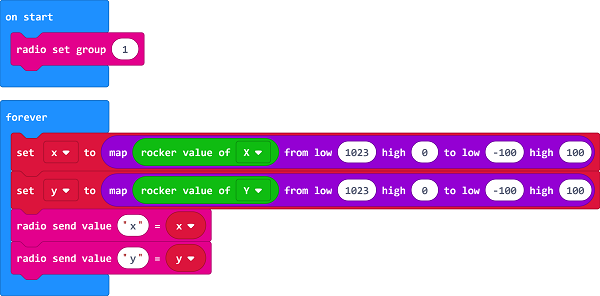
- Set “radio set group” to
1in theOn startbrick. - The scope for
XandYis0~1023, the theoretical value is512if the rocker is in the middle place , in this way we need to make 0~1023mapmap in the scope of-100~100. - Set
xwhose value is given by “acceleration (mg) x” exactly divides10to the radio value inforeverbrick. - Set
ywhose value is given by “acceleration (mg) y” exactly divides10to the radio value inforeverbrick. - The scope of the acceleration value is
0~1024, which can be regarded roughly as the speed value in0~100after dividing10.
Programming
Links: https://makecode.microbit.org/_cVWKfb09E5st
You can also download it directly below:
Step 3: Cutebot Programming
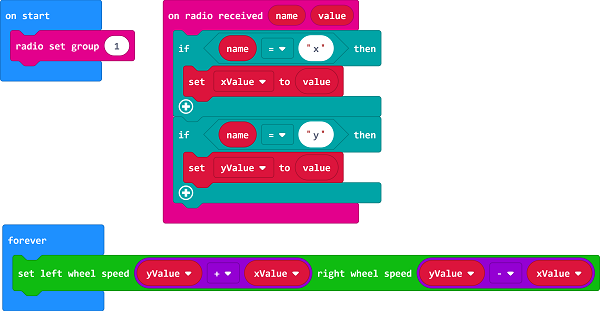
- Set the “radio set group” to
1in theOn startbrick. Items must be the same with the remote control for the correct match. - Drag two “if” bricks into the
on radio receivedbrick and judge if the radio revived valuenameisxory - If the radio received value
nameisx, it is the data forXand then save thevaluein the variablexValue. - If the radio received value
nameisy, it is the data foryand then save thevaluein the variableyValue. - In
foreverbrick, set the left wheel speed toyValue+xValueand right wheel speed toyValue-xValue.
Programming
Links: https://makecode.microbit.org/_WDpVxaeTXdLT
You can also download it directly below: